 Sky Bloom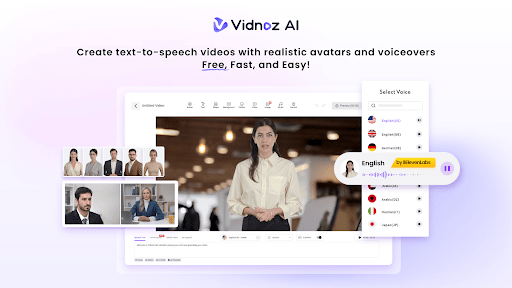
I had been putting off video content for months. The process always felt like too much. You need a script, a camera setup, decent lighting, a voiceover that does not sound like it was recorded in a bathroom, and then editing software that takes longer to learn than the actual project takes to complete. Most of the time, I just skipped it entirely and wrote another blog post instead.
Then I came across Vidnoz AI, a free AI-powered video creation platform that handles the entire production process with AI tools. It is also certified under ISO/IEC 27001:2022 for Information Security Management, which mattered to me since I was going to be putting business content and scripts through it. I decided to give it a proper test and see what it actually produced.
The peculiar thing is that I expected to be disappointed. Most AI tools I try do one part of the job reasonably well but fall apart elsewhere. Vidnoz AI surprised me in a specific way, and I want to explain it honestly rather than just list features.
What I Actually Found When I Got Inside
Before getting into each feature individually, it is worth saying that the platform feels like it was built by people who actually make videos rather than people who built a tool and assumed video makers would figure it out. That context matters for everything that follows.
1900+ Lifelike Avatars
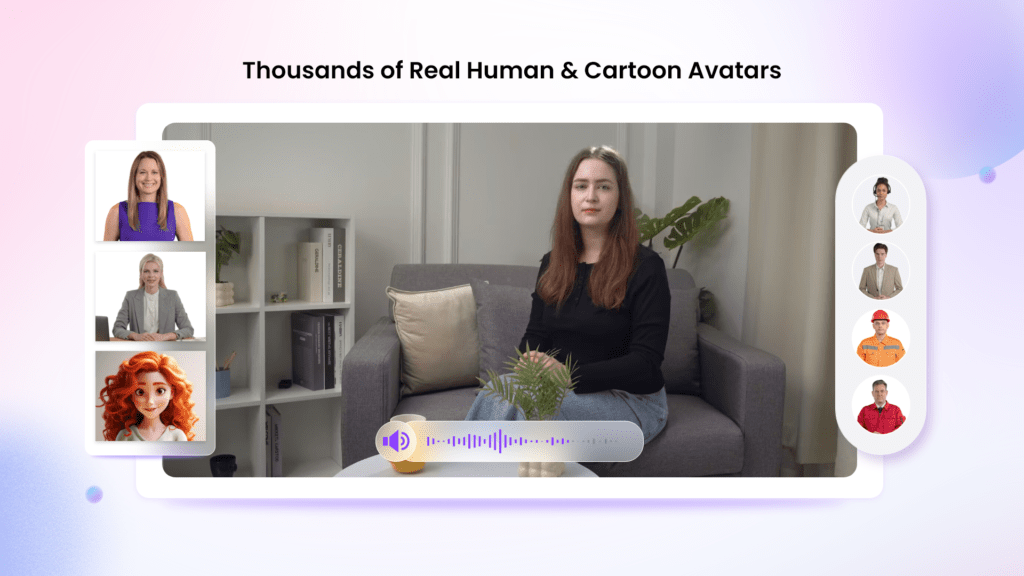
The avatar library was the first thing I spent time in, and it is considerably larger than I expected. Over 1900 avatars covering different industries, roles, ages, and presentation styles. I was not looking for something generic, and I did not have to settle for one.
I found options for a professional presenter that matched the tone of the content I was creating. Beyond the existing library, the platform lets you create a digital twin using your own likeness, use an expressive avatar that gestures naturally while delivering a script, or design a product avatar representing a brand identity rather than a person. Due to this reason, there is always something that fits the context rather than something you have to mentally adjust for.
That range is not just a number. It actually changes what the finished video communicates to whoever watches it.
2000+ Lip Sync AI Voices in 140+ Languages
Voiceover is where most AI video tools fall apart in my experience. The voice sounds slightly robotic, the lip sync is half a second off, and the whole thing feels like a proof of concept rather than a finished product.
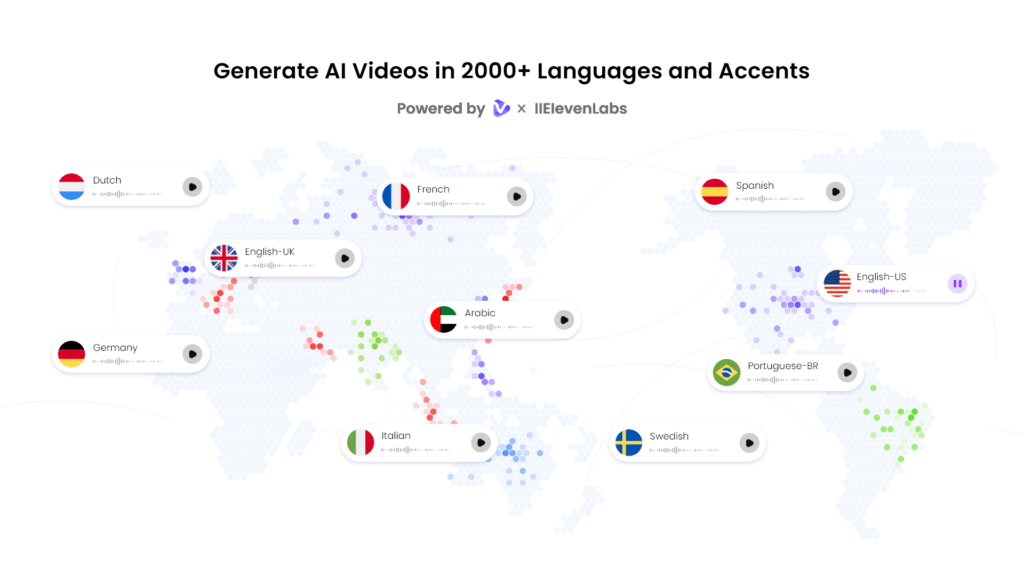
Vidnoz AI’s voice library runs to over 2000 natural-sounding AI voices across more than 140 languages. These are powered by ElevenLabs, Microsoft, and Google. The lip sync between the avatar and the voice held up in the videos I generated. It looked like a real person speaking rather than a voice track laid over a moving image.
For anyone producing content across different markets, this is practically significant. I tested a script in English and then ran the same template in another language. Both came out with the same level of quality and the same accurate lip sync.
2800+ Pre-Designed Video Templates
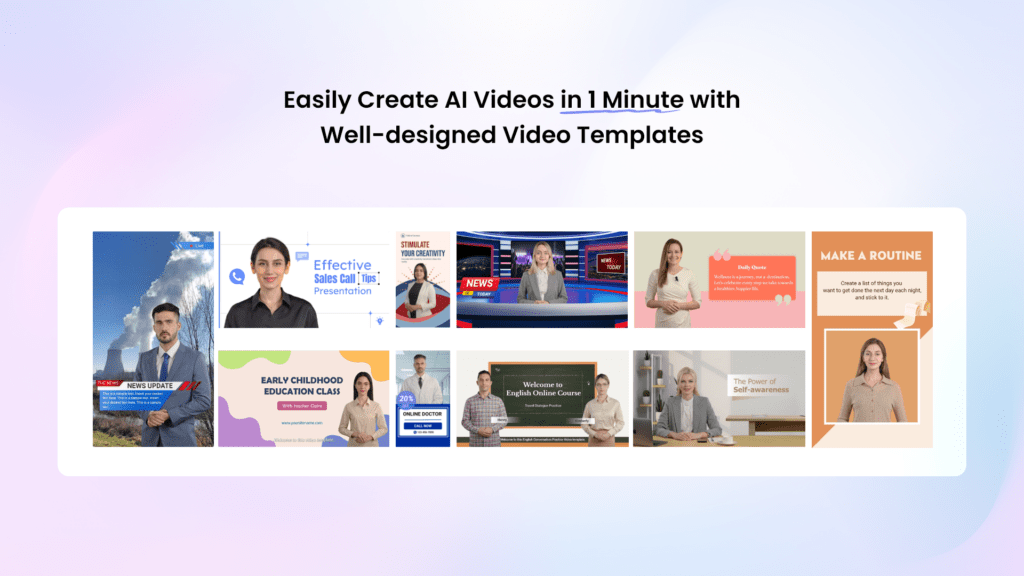
I was expecting a handful of generic layouts. What I found was over 2800 templates organized by content type. Product promotions, explainer videos, training content, social media formats, and more. The templates are not just aesthetic starting points. They are structured around specific communication goals, so the pacing and visual flow are already working before I customize anything.
I picked one, adjusted the colors to match my brand, added my logo, and the result looked considerably more professional than anything I could have produced starting from scratch.
Free Daily Use
Every user gets 30 credits of free video generation per day with no payment required. I used that allowance to test the platform before committing to anything, and it is enough to produce a short product message or try different avatars and voice combinations to see what works best for the content.
How I Made My First Video in Four Steps
The actual production process was simpler than I expected, and I want to walk through exactly what I did so you can see how fast this actually goes from idea to finished video.
First, go to Vidnoz AI video generator official website.
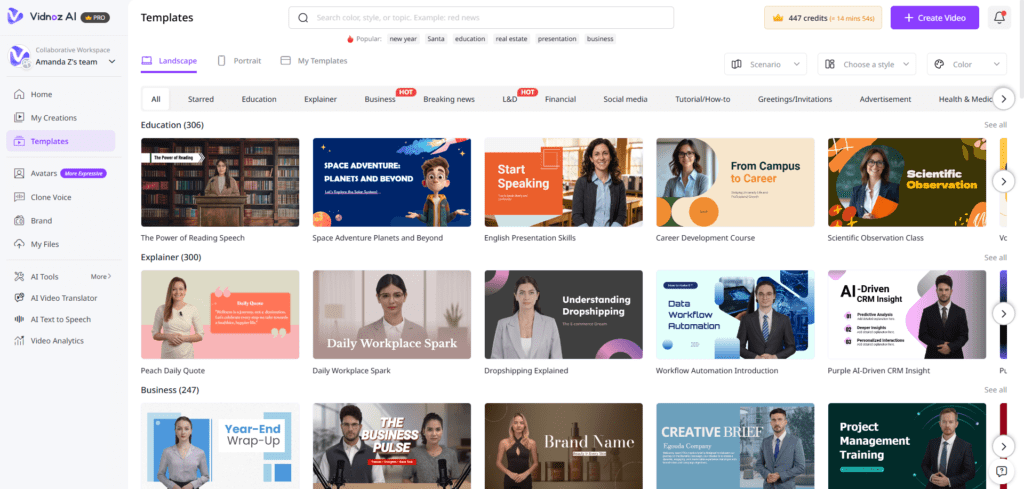
Step 1: Choose a Template and Avatar
I opened the template library, picked a format that matched what I was making, and selected an avatar from the 1900+ available. The whole selection process took about five minutes, including browsing.
Step 2: Create the AI Voiceover
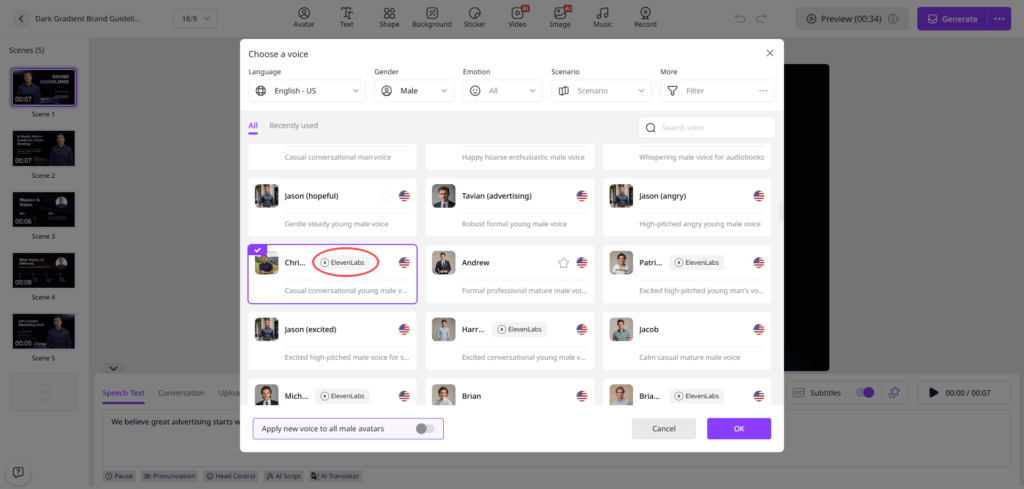
I typed my script directly into the editor, browsed the voice options, previewed a few, and selected one that matched the tone I wanted. The lip sync between the avatar and the voice is handled automatically with no manual alignment needed from my side.
Step 3: Add a Custom Touch
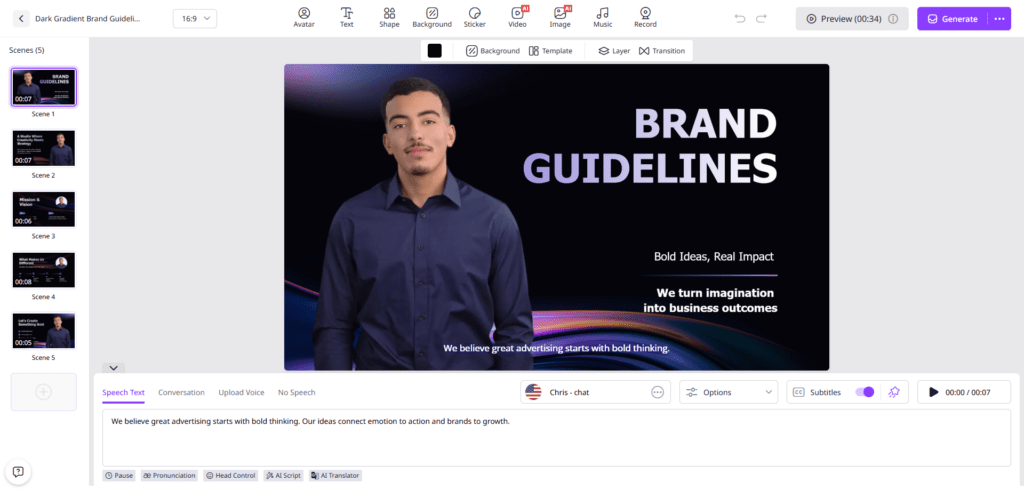
I uploaded my logo, adjusted the background, added background music at a low level, and put subtitles on. These adjustments took around ten minutes and made the video feel like it belonged to my brand rather than a platform template.
Step 4: Generate and Share
I clicked generate. The video was ready in minutes. I downloaded it, and it was immediately usable across the channels I needed it for.
What Surprised Me Most About the Experience
I went in expecting the platform to handle one part of the process well and require manual workarounds for everything else. That is usually how these tools work. What surprised me was how few workarounds I actually needed.
The things that stood out beyond the core features:
- The avatar lip sync held up across multiple languages without any noticeable quality drop between them
- Template customization felt like adjusting a design rather than fighting the platform’s defaults
- The free daily allowance is genuinely enough to evaluate whether the output quality meets your standard before spending anything.
- Generating the video took minutes rather than the rendering wait times I had experienced with other tools.
- The finished file was immediately usable without post-processing or additional editing.
There was one thing I adjusted my expectations around. The free 30 credits daily limit means longer videos require upgrading. That is a reasonable trade-off given that the free access is genuinely useful for testing and short-form content, but it is worth knowing before you plan a long-form project around the free tier.
What I would use it for consistently:
- Short product explanation videos for landing pages
- Social media video content that previously took hours to produce
- Training and onboarding videos that need a professional presenter without recording one
- Multilingual content for different market audiences from a single script
The platform covers all of these without requiring a production background or additional software. That is a more useful combination than most single-feature AI video tools I have tested.
My Honest Verdict
I went in skeptical and came out using the platform regularly. The combination of 1900 plus avatars, 2000 plus voices across 140 languages, and 2800 plus templates in one place removes the friction that kept me avoiding video content for months.
The free daily access means there is no barrier to testing whether the output quality meets your standard before spending anything. And the ISO certification gave me confidence that the content I was putting through the platform was handled responsibly.
If you have been putting off video content for the same reasons I was, Vidnoz AI is worth testing with the free daily allowance before you form an opinion about it.

 alishanasir237@gmail.com