
 alishanasir237@gmail.com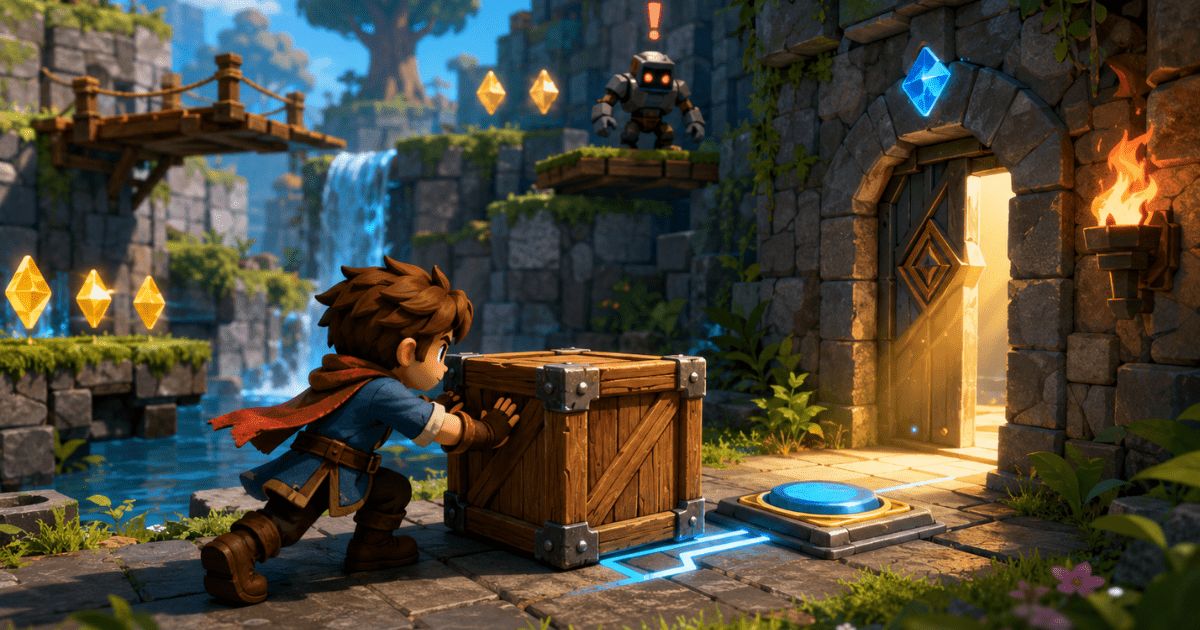
Creating games that feel alive and responsive used to take months of coding and testing. Today you can build fully interactive experiences in a fraction of that time. Players want games where their choices matter, objects react naturally, and the world feels dynamic. The challenge is doing this quickly without losing quality.
This guide gives you a clear path to create game at high speed. You will learn how to plan Interactive AI Games efficiently, use descriptions that produce strong results, add meaningful player interactions, and refine your game without wasting time. These methods help you turn ideas into playable games faster while keeping the experience enjoyable and engaging for players.
Planning Your Interactive AI Games Idea
Start with a very focused concept. Choose one main action that players will repeat and build everything around it. A simple idea like pushing boxes to solve puzzles or collecting items while avoiding hazards works better than trying to combine many complex features. Write down the core loop in one sentence and the feeling you want players to have. This keeps your project on track and prevents adding unnecessary elements that slow you down. A clear plan from the beginning saves hours of rework later.
Four Key Steps to Build Faster
Follow these four steps to move quickly while maintaining quality.
- Define the core interaction first. Focus on one main way players interact with the world and make it feel satisfying before adding anything else.
- Generate content in small sections. Create one area or level at a time and test it immediately rather than building everything at once.
- Use consistent rules across the game. Set basic guidelines for movement, object behavior, and feedback so new content matches what already exists.
- Test after every major addition. Play the updated version yourself and fix issues before moving forward.
These steps keep momentum high and help you spot problems early.
Creating Meaningful Player Interactions
Interactive games feel alive when player actions produce clear and interesting results. Describe interactions precisely so objects react in natural ways.
For example request that pushing a box makes it slide until it hits a wall and that stepping on a pressure plate opens a nearby door with a visible animation. Add layers of interaction gradually. Start with basic movement and object pushing then introduce combinations like using boxes to reach higher areas. This approach creates satisfying moments without making the game too complicated. Players enjoy discovering how different elements work together.
Four Ways to Make Interactions Feel Natural
- Add immediate feedback for every action with sounds, visual effects, or character reactions.
- Create cause and effect relationships where one action clearly leads to another visible result.
- Include multiple ways to solve challenges so players feel smart when they find creative solutions.
- Keep interactions consistent so players learn the rules once and can apply them throughout the game.
These methods make the world feel responsive and rewarding to explore.
Adding Depth Without Slowing Development
Depth comes from small, meaningful details rather than large, complicated systems. Add environmental interactions, such as wind that affects light objects or surfaces that change speed when wet. These features make the world feel richer without requiring extensive work.
Use progression to keep players engaged. Unlock new interaction types or areas as they advance so the game feels like it is growing with them. This approach adds lasting interest while keeping development time short.
A good example of interactive gameplay appears in Chaos Builder. You can try it here:. Notice how simple interactions create engaging moments.
Testing for Engagement and Flow
Test your game regularly as you build. Play through each section and ask whether the interactions feel fun and natural. Note any moments where players might feel stuck or bored. Ask a few friends to try the game and watch how they interact with the world. Their fresh perspective often reveals simple improvements that make a big difference. Use their feedback to refine interactions and flow until the game feels smooth and enjoyable.
Refining and Polishing Quickly
Once the main interactions work well add polish that enhances the experience. Request better animations, clearer feedback, and small visual details that make the world feel alive. These finishing touches do not take long but greatly improve how professional the game feels. Keep testing on the devices players will actually use. Make small adjustments based on real play sessions. This focused refinement process helps you complete a high-quality interactive game in less time.
Wrapping Up
Building interactive AI games faster is possible when you plan clearly, use specific descriptions, focus on meaningful interactions, and test regularly. By starting with a simple core loop, adding natural cause and effect relationships, and refining based on real play, you can create engaging experiences without spending months on development.
Whether you build your games with Astrocade or other easy tools, these methods help you move from idea to playable game much more quickly. Start with one focused interaction and build outward step by step. Test often and improve based on what feels good to play. The result is a game that feels alive and responsive. Players will enjoy exploring your world and discovering how things work together. With practice you will build richer interactive games in less time and bring more of your creative ideas to life. Begin your next project today and see how much faster and more enjoyable the process becomes.